So today I spent some quality time debugging a frustrating ReCaptcha issue on a Magento 2 store. If you've ever seen that dreaded "Invalid argument" message inside the ReCaptcha widget, this post is for you.
The Problem
A customer contacted me about an issue on their production Magento 2.4.8 store - the login page was showing a strange error in the ReCaptcha widget. Instead of the normal "protected by reCAPTCHA" badge, there was a red "Invalid argument" message.
To debug this safely without touching production, I cloned the entire store (database and files) to our staging environment using Magento 2 Gitpod on ona.com (https://github.com/nemke82/magento2gitpod). The issue reproduced perfectly on staging - same error, same behavior.
I created fresh Google ReCaptcha v3 keys specifically for the staging domain and configured them in Magento admin. But the error persisted.
The weird part? I tested the same ReCaptcha keys on a fresh Magento 2.4.8 installation and they worked perfectly. So the issue was specific to this codebase, not the keys or domain configuration.
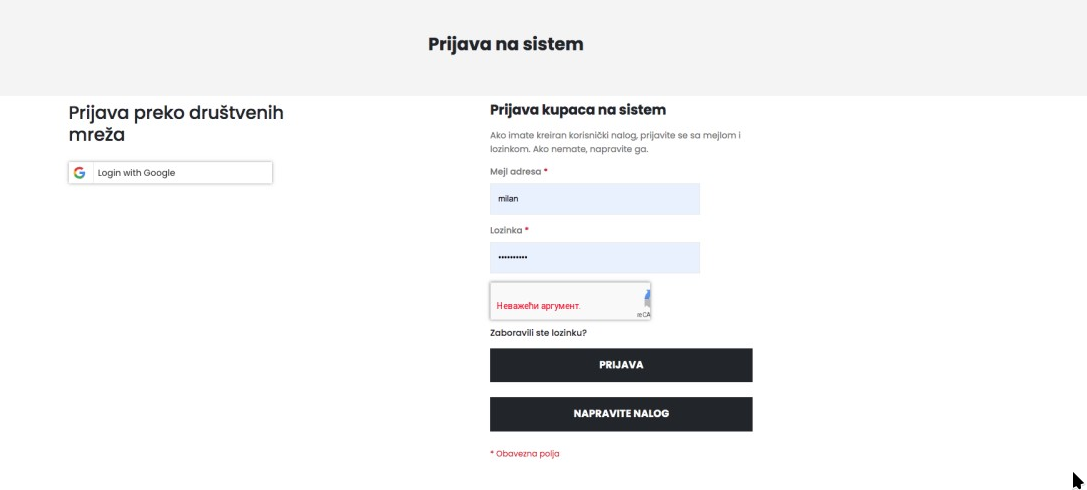
The ReCaptcha widget was there, but instead of the nice "protected by reCAPTCHA" badge, I got this ugly red error message.
The weird part? I tested the same ReCaptcha keys on a fresh Magento 2.4.8 installation and they worked perfectly. So the issue was specific to this codebase.
The Investigation
First stop - Magento logs. I checked var/log/exception.log and var/log/system.log. Found some interesting errors about a module called Mageplaza_GoogleRecaptcha:
Class "Mageplaza\GoogleRecaptcha\Model\System\Config\Source\Frontend\Forms" not found
Class "Mageplaza\GoogleRecaptcha\Observer\Captcha" does not exist
Hmm. The module was being called but didn't exist. 🤔
I assume customer had module, removed it somehow but always that leftovers... meh Magento...
Root Cause #1: Orphaned Module Configuration
Turns out, the Mageplaza GoogleRecaptcha extension was previously installed on this store but later removed. The problem? The configuration data was still sitting in the database:
SELECT * FROM core_config_data WHERE path LIKE 'googlerecaptcha%';
config_id  scope     scope_id  path                                      value                                         updated_at
1379       default   0         googlerecaptcha/general/enabled           1                                             2026-01-16 12:24:41
1380       default   0         googlerecaptcha/general/language          sr                                            2026-01-16 12:24:41
1381       default   0         googlerecaptcha/general/invisible/api_key NULL                                          2026-01-16 12:27:21
1382       default   0         googlerecaptcha/general/invisible/api_secret NULL                                       2026-01-16 12:27:21
1383       default   0         googlerecaptcha/general/visible/api_key   0:3:SijGQlxN...encrypted...                   2026-01-16 12:27:21
1384       default   0         googlerecaptcha/general/visible/api_secret 0:3:SNydl+LZ...encrypted...                  2026-01-16 12:27:21
1385       default   0         googlerecaptcha/backend/enabled           0                                             2024-10-31 16:24:06
1386       default   0         googlerecaptcha/frontend/enabled          1                                             2026-01-16 12:24:41
1387       default   0         googlerecaptcha/frontend/type             visible                                       2026-01-16 12:24:41
1388       default   0         googlerecaptcha/frontend/forms            body.customer-account-login #login-form...    2026-01-16 12:24:41
1389       default   0         googlerecaptcha/frontend/position         0                                             2026-01-14 21:23:20
1390       default   0         googlerecaptcha/frontend/theme            dark                                          2026-01-16 12:24:41
2048       default   0         googlerecaptcha/frontend/size             compact                                       2026-01-16 12:24:41
The config showed googlerecaptcha/frontend/enabled = 1 - so Magento was trying to use a module that no longer existed!
Root Cause #2: Invalid Language Code
While digging through the config, I noticed something else odd. The ReCaptcha language setting was set to "0":
recaptcha_frontend/type_recaptcha_v3/lang = 0
** Now, for english default this is fine, but this customer switched frontend to custom Language (Serbian)
That's not a valid language code! It should be something like "en", "sr", or empty string for auto-detect. This invalid value was being passed to Google's API as hl=0, causing the "Invalid argument" error.
path                                        value
recaptcha_frontend/type_recaptcha/lang      0
recaptcha_frontend/type_invisible/lang      0
recaptcha_frontend/type_recaptcha_v3/lang   0
recaptcha_backend/type_recaptcha/lang       0
recaptcha_backend/type_recaptcha_v3/lang    0
The Fix
Two simple database updates fixed everything:
1. Disable the orphaned Mageplaza config:
UPDATE core_config_data SET value = '0' WHERE path = 'googlerecaptcha/frontend/enabled';
UPDATE core_config_data SET value = '0' WHERE path = 'googlerecaptcha/general/enabled';
- Fix the invalid language codes:
UPDATE core_config_data SET value = '' WHERE path LIKE '%recaptcha%lang%' AND value = '0';
- Clear the cache (or roll over deployment entirely):
php bin/magento cache:flush
And just like that...
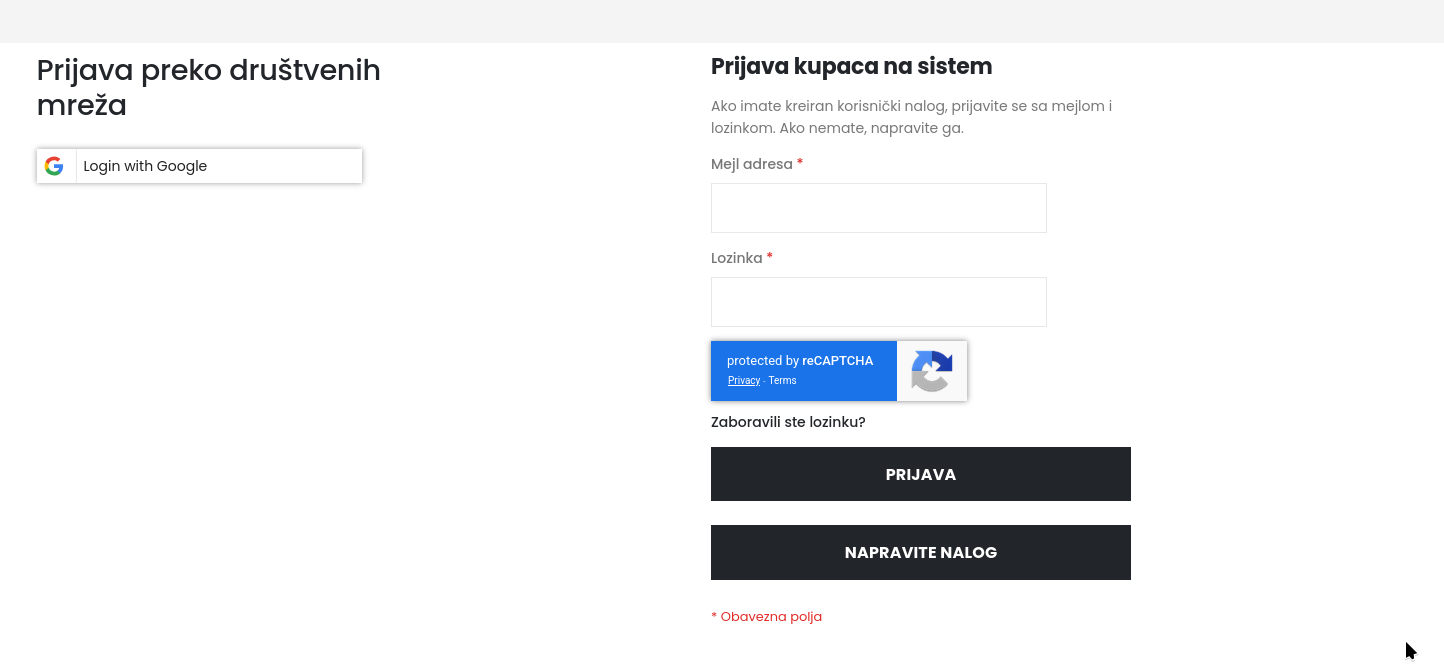
The beautiful blue "protected by reCAPTCHA" badge appeared! 🎉
Lessons Learned
Always clean up after removing extensions - Don't just delete the module files. Remove the config data from coreconfigdata table too.
Check for module conflicts - When you have multiple ReCaptcha solutions (Magento native + third-party), they can conflict even if one is "disabled".
Validate your config values - A simple "0" instead of empty string or proper value can break things in unexpected ways.
Fresh installs are your friend - Testing on a clean Magento installation helped confirm the issue was codebase-specific, not a key/domain problem.
Quick Debug Checklist for ReCaptcha Issues
If you're seeing "Invalid argument" in your Magento ReCaptcha:
[ ] Check coreconfigdata for orphaned third-party ReCaptcha configs
[ ] Verify language codes aren't set to invalid values like "0"
[ ] Ensure only ONE ReCaptcha solution is active
[ ] Verify your keys match the ReCaptcha type (v2 vs v3)
[ ] Confirm your domain is registered in Google ReCaptcha console
Hope this saves someone a few hours of debugging!